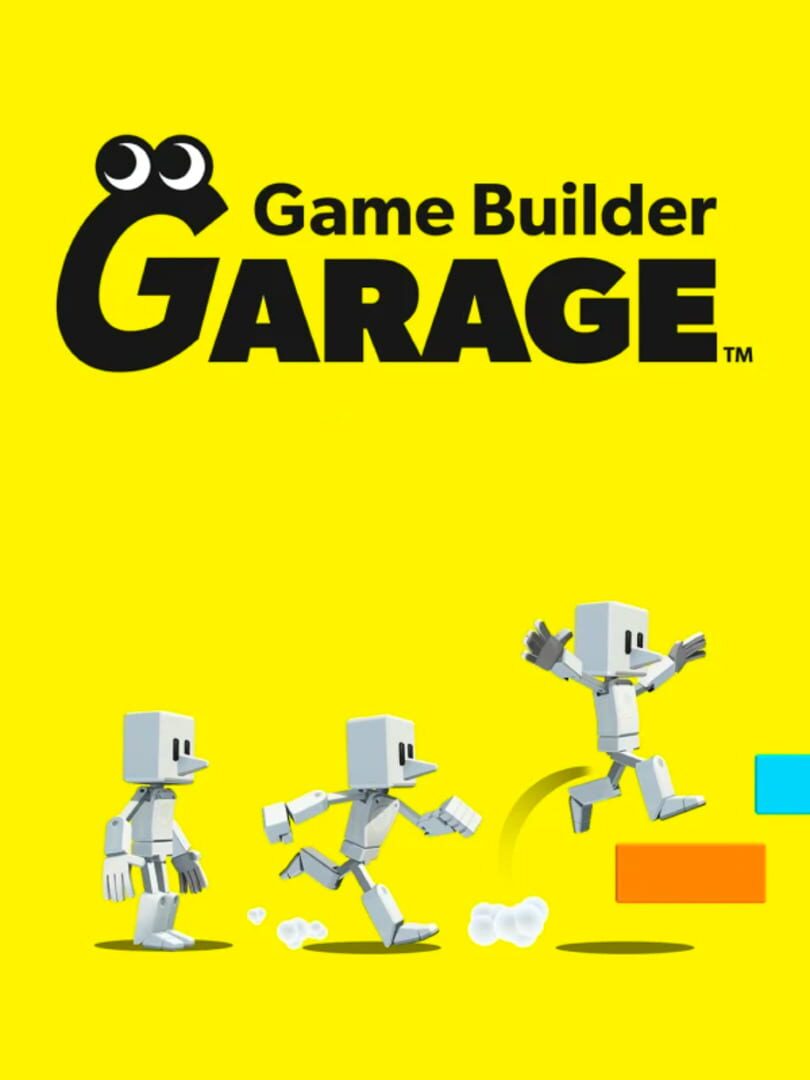
Game Builder Garage

De Nintendo

Turn gaming time into learning time with the Game Builder Garage software. Kids can learn how to make their own games with guided lessons created by Nintendo. From a simple game of tag to a run-and-jump obstacle course, each lesson is broken down into multiple, manageable segments that let kids go at their own pace—and have fun in the process. Learn the basics of visual game programming By playing through interactive lessons, kids will learn the basics of visual game programming. Nodon, colorful creatures with distinct personalities, keep kids engaged through lessons with tips and motivating messages. With a simple press of a button, swap between the programming screen and the game screen—watch how programming changes the game on the fly. Track progress and build confidence After completing each lesson and building a game, kids will test their knowledge by completing Checkpoints—small puzzles or tasks to solve with programming. Master these skills and head to Free Programming mode to let your imagination (and programming chops) run wild. The Nodon you meet each have distinct personalities that complement their functions. Have fun connecting them together to see how they interact and bring your game to life. The in-game Nodopedia lets you quickly check what each Nodon does as you create. There’s also a guide that recaps important skills! Easily swap between the Programming and Game screens to see the hard-working Nodon in action. Take advantage of the Nintendo Switch system’s many features. Instead of the control stick, program motion controls to control your game. Want to create…

Game Builder Garage

Game Builder Garage

Turn gaming time into learning time with the Game Builder Garage software. Kids can learn how to make their own games with guided lessons created by Nintendo. From a simple game of tag to a run-and-jump obstacle course, each lesson is broken down into multiple, manageable segments that let kids go at their own pace—and have fun in the process. Learn the basics of visual game programming By playing through interactive lessons, kids will learn the basics of visual game programming. Nodon, colorful creatures with distinct personalities, keep kids engaged through lessons with tips and motivating messages. With a simple press of a button, swap between the programming screen and the game screen—watch how programming changes the game on the fly. Track progress and build confidence After completing each lesson and building a game, kids will test their knowledge by completing Checkpoints—small puzzles or tasks to solve with programming. Master these skills and head to Free Programming mode to let your imagination (and programming chops) run wild. The Nodon you meet each have distinct personalities that complement their functions. Have fun connecting them together to see how they interact and bring your game to life. The in-game Nodopedia lets you quickly check what each Nodon does as you create. There’s also a guide that recaps important skills! Easily swap between the Programming and Game screens to see the hard-working Nodon in action. Take advantage of the Nintendo Switch system’s many features. Instead of the control stick, program motion controls to control your game. Want to create…
Game Builder Garage

Game Builder Garage

Turn gaming time into learning time with the Game Builder Garage software. Kids can learn how to make their own games with guided lessons created by Nintendo. From a simple game of tag to a run-and-jump obstacle course, each lesson is broken down into multiple, manageable segments that let kids go at their own pace—and have fun in the process. Learn the basics of visual game programming By playing through interactive lessons, kids will learn the basics of visual game programming. Nodon, colorful creatures with distinct personalities, keep kids engaged through lessons with tips and motivating messages. With a simple press of a button, swap between the programming screen and the game screen—watch how programming changes the game on the fly. Track progress and build confidence After completing each lesson and building a game, kids will test their knowledge by completing Checkpoints—small puzzles or tasks to solve with programming. Master these skills and head to Free Programming mode to let your imagination (and programming chops) run wild. The Nodon you meet each have distinct personalities that complement their functions. Have fun connecting them together to see how they interact and bring your game to life. The in-game Nodopedia lets you quickly check what each Nodon does as you create. There’s also a guide that recaps important skills! Easily swap between the Programming and Game screens to see the hard-working Nodon in action. Take advantage of the Nintendo Switch system’s many features. Instead of the control stick, program motion controls to control your game. Want to create…

Sobre o jogo

Turn gaming time into learning time with the Game Builder Garage software. Kids can learn how to make their own games with guided lessons created by Nintendo. From a simple game of tag to a run-and-jump obstacle course, each lesson is broken down into multiple, manageable segments that let kids go at their own pace—and have fun in the process. Learn the basics of visual game programming By playing through interactive lessons, kids will learn the basics of visual game programming. Nodon, colorful creatures with distinct personalities, keep kids engaged through lessons with tips and motivating messages. With a simple press of a button, swap between the programming screen and the game screen—watch how programming changes the game on the fly. Track progress and build confidence After completing each lesson and building a game, kids will test their knowledge by completing Checkpoints—small puzzles or tasks to solve with programming. Master these skills and head to Free Programming mode to let your imagination (and programming chops) run wild. The Nodon you meet each have distinct personalities that complement their functions. Have fun connecting them together to see how they interact and bring your game to life. The in-game Nodopedia lets you quickly check what each Nodon does as you create. There’s also a guide that recaps important skills! Easily swap between the Programming and Game screens to see the hard-working Nodon in action. Take advantage of the Nintendo Switch system’s many features. Instead of the control stick, program motion controls to control your game. Want to create…

Lançamento
2021
Gêneros
Nenhuma informação

Sobre o jogo

Turn gaming time into learning time with the Game Builder Garage software. Kids can learn how to make their own games with guided lessons created by Nintendo. From a simple game of tag to a run-and-jump obstacle course, each lesson is broken down into multiple, manageable segments that let kids go at their own pace—and have fun in the process. Learn the basics of visual game programming By playing through interactive lessons, kids will learn the basics of visual game programming. Nodon, colorful creatures with distinct personalities, keep kids engaged through lessons with tips and motivating messages. With a simple press of a button, swap between the programming screen and the game screen—watch how programming changes the game on the fly. Track progress and build confidence After completing each lesson and building a game, kids will test their knowledge by completing Checkpoints—small puzzles or tasks to solve with programming. Master these skills and head to Free Programming mode to let your imagination (and programming chops) run wild. The Nodon you meet each have distinct personalities that complement their functions. Have fun connecting them together to see how they interact and bring your game to life. The in-game Nodopedia lets you quickly check what each Nodon does as you create. There’s also a guide that recaps important skills! Easily swap between the Programming and Game screens to see the hard-working Nodon in action. Take advantage of the Nintendo Switch system’s many features. Instead of the control stick, program motion controls to control your game. Want to create…

Média de Avaliação
N/A
1★
5★
Jogaram
0
Jogando
0
Pausados
0
Quero jogar
0
Dropados
0
0
Listas
0
Avaliações
0
Likes
Duração média para concluir apenas a história principal.
9h
Principal
Duração média para terminar a campanha e missões extras.
13h
Extras
Duração média para atingir 100% (conquistas e segredos).
15h
100%
Avaliações
Opiniões recentes da comunidade sobre este jogo.
Ainda não há avaliações para este jogo. Seja o primeiro a avaliar!