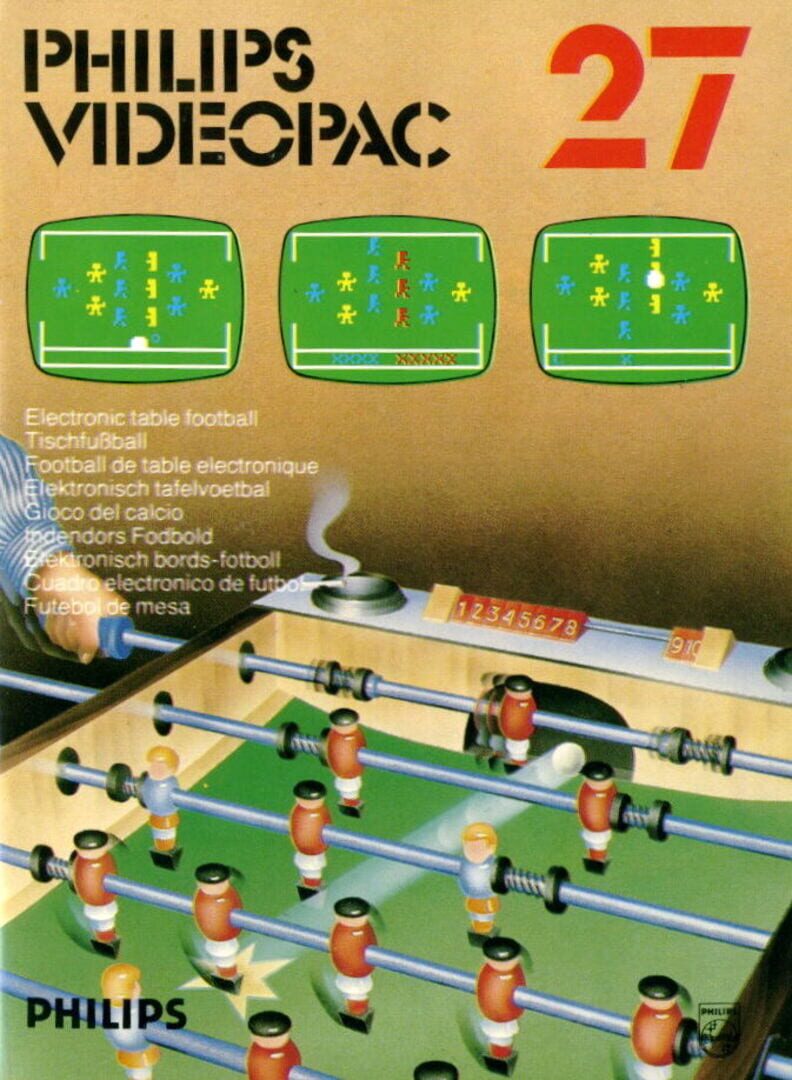
Electronic Table Soccer

De Magnavox

Press 1 on the alpha-numeric keyboard. A full size tournament soccer table appears on your screen. The scoring rack is at the bottom. The left hand control controls the goalkeeper at the left side of the screen and the other members of the team who wear the same colors. The right hand control controls the goalkeeper at the right side of the screen as well as the other members of the team. You can play against another player or the computer. Press the action button or move the joystick of the hand control to tell the computer how many people are in the game. If one of the hand controls is not activated, the computer will play that side and a "C" will appear on the scoring rack. If neither hand control is activated, the computer will play itself. Each joystick controls three sets of electronic lightning rods that maneuver the ranks of players. Push the joystick of the left hand control to the left to control the goalkeeper. When the joystick is in the center position, it will control the center file of three team members. When the joystick is in the far right position, it will control the file of two team members on the right side of your screen. For the right hand control, the reverse is true. The ball will come into play from the bottom of the screen. The ball will stop when it hits a player and the joystick is controlling the player's row. To kick, press the action button and simultaneously move the joystick in the direction you wish the ball to go. The ball will rebound off a player whose row is not under control of the joystick. When a goal is scored, a ring will slide along the scoring rack at the bottom of the screen. /=1 point. X=2 points. The game ends when one of the teams scores ten points. XXXXX=10 points. To play again, press the RESET key on the alpha-numeric keyboard and then press 1.

Electronic Table Soccer

Electronic Table Soccer

Press 1 on the alpha-numeric keyboard. A full size tournament soccer table appears on your screen. The scoring rack is at the bottom. The left hand control controls the goalkeeper at the left side of the screen and the other members of the team who wear the same colors. The right hand control controls the goalkeeper at the right side of the screen as well as the other members of the team. You can play against another player or the computer. Press the action button or move the joystick of the hand control to tell the computer how many people are in the game. If one of the hand controls is not activated, the computer will play that side and a "C" will appear on the scoring rack. If neither hand control is activated, the computer will play itself. Each joystick controls three sets of electronic lightning rods that maneuver the ranks of players. Push the joystick of the left hand control to the left to control the goalkeeper. When the joystick is in the center position, it will control the center file of three team members. When the joystick is in the far right position, it will control the file of two team members on the right side of your screen. For the right hand control, the reverse is true. The ball will come into play from the bottom of the screen. The ball will stop when it hits a player and the joystick is controlling the player's row. To kick, press the action button and simultaneously move the joystick in the direction you wish the ball to go. The ball will rebound off a player whose row is not under control of the joystick. When a goal is scored, a ring will slide along the scoring rack at the bottom of the screen. /=1 point. X=2 points. The game ends when one of the teams scores ten points. XXXXX=10 points. To play again, press the RESET key on the alpha-numeric keyboard and then press 1.
Electronic Table Soccer

Electronic Table Soccer

Press 1 on the alpha-numeric keyboard. A full size tournament soccer table appears on your screen. The scoring rack is at the bottom. The left hand control controls the goalkeeper at the left side of the screen and the other members of the team who wear the same colors. The right hand control controls the goalkeeper at the right side of the screen as well as the other members of the team. You can play against another player or the computer. Press the action button or move the joystick of the hand control to tell the computer how many people are in the game. If one of the hand controls is not activated, the computer will play that side and a "C" will appear on the scoring rack. If neither hand control is activated, the computer will play itself. Each joystick controls three sets of electronic lightning rods that maneuver the ranks of players. Push the joystick of the left hand control to the left to control the goalkeeper. When the joystick is in the center position, it will control the center file of three team members. When the joystick is in the far right position, it will control the file of two team members on the right side of your screen. For the right hand control, the reverse is true. The ball will come into play from the bottom of the screen. The ball will stop when it hits a player and the joystick is controlling the player's row. To kick, press the action button and simultaneously move the joystick in the direction you wish the ball to go. The ball will rebound off a player whose row is not under control of the joystick. When a goal is scored, a ring will slide along the scoring rack at the bottom of the screen. /=1 point. X=2 points. The game ends when one of the teams scores ten points. XXXXX=10 points. To play again, press the RESET key on the alpha-numeric keyboard and then press 1.

Sobre o jogo

Press 1 on the alpha-numeric keyboard. A full size tournament soccer table appears on your screen. The scoring rack is at the bottom. The left hand control controls the goalkeeper at the left side of the screen and the other members of the team who wear the same colors. The right hand control controls the goalkeeper at the right side of the screen as well as the other members of the team. You can play against another player or the computer. Press the action button or move the joystick of the hand control to tell the computer how many people are in the game. If one of the hand controls is not activated, the computer will play that side and a "C" will appear on the scoring rack. If neither hand control is activated, the computer will play itself. Each joystick controls three sets of electronic lightning rods that maneuver the ranks of players. Push the joystick of the left hand control to the left to control the goalkeeper. When the joystick is in the center position, it will control the center file of three team members. When the joystick is in the far right position, it will control the file of two team members on the right side of your screen. For the right hand control, the reverse is true. The ball will come into play from the bottom of the screen. The ball will stop when it hits a player and the joystick is controlling the player's row. To kick, press the action button and simultaneously move the joystick in the direction you wish the ball to go. The ball will rebound off a player whose row is not under control of the joystick. When a goal is scored, a ring will slide along the scoring rack at the bottom of the screen. /=1 point. X=2 points. The game ends when one of the teams scores ten points. XXXXX=10 points. To play again, press the RESET key on the alpha-numeric keyboard and then press 1.

Lançamento
1980
Gêneros

Sobre o jogo

Press 1 on the alpha-numeric keyboard. A full size tournament soccer table appears on your screen. The scoring rack is at the bottom. The left hand control controls the goalkeeper at the left side of the screen and the other members of the team who wear the same colors. The right hand control controls the goalkeeper at the right side of the screen as well as the other members of the team. You can play against another player or the computer. Press the action button or move the joystick of the hand control to tell the computer how many people are in the game. If one of the hand controls is not activated, the computer will play that side and a "C" will appear on the scoring rack. If neither hand control is activated, the computer will play itself. Each joystick controls three sets of electronic lightning rods that maneuver the ranks of players. Push the joystick of the left hand control to the left to control the goalkeeper. When the joystick is in the center position, it will control the center file of three team members. When the joystick is in the far right position, it will control the file of two team members on the right side of your screen. For the right hand control, the reverse is true. The ball will come into play from the bottom of the screen. The ball will stop when it hits a player and the joystick is controlling the player's row. To kick, press the action button and simultaneously move the joystick in the direction you wish the ball to go. The ball will rebound off a player whose row is not under control of the joystick. When a goal is scored, a ring will slide along the scoring rack at the bottom of the screen. /=1 point. X=2 points. The game ends when one of the teams scores ten points. XXXXX=10 points. To play again, press the RESET key on the alpha-numeric keyboard and then press 1.

Média de Avaliação
N/A
1★
5★
Jogaram
0
Jogando
0
Pausados
0
Quero jogar
0
Dropados
0
0
Listas
0
Avaliações
0
Likes
Duração média para concluir apenas a história principal.
--
Principal
Duração média para terminar a campanha e missões extras.
--
Extras
Duração média para atingir 100% (conquistas e segredos).
--
100%
Avaliações
Opiniões recentes da comunidade sobre este jogo.
Ainda não há avaliações para este jogo. Seja o primeiro a avaliar!